
If you’ve been asking “where can I sell my old tablet in Manchester?”, you have three main options: sell it yourself online, use a postal trade-in service, or sell it to a local shop. This guide compares all three and explains what affects your tablet’s value, including the model, storage, screen condition, and battery. It also shows you how to find your exact model and erase your iPad or Android tablet safely, following Apple’s UK guidance. At Gadget Corner on Oldham Road in Failsworth, we buy iPads of every generation, Samsung Galaxy Tabs and other Android tablets, even cracked or faulty ones. Bring yours in for a free valuation with no obligation, and if you accept the offer, you’re paid before you leave.

Almost every house has one. The iPad that got replaced when the new one came out. The Android tablet the kids were glued to for two years and now ignore. The one with a cracked corner that still works fine if you don’t mind the spider web.
It’s sitting in a drawer. It’s not doing anything. And every month it stays there; it’s worth a little less.
If you’ve ever thought about selling it and then thought, “I can’t be bothered with the hassle,” this guide is for you. It covers where you can sell an old tablet in Manchester, what decides the price, how to get it ready in about fifteen minutes, and how to walk out with cash on the same day.
Where can you sell an old tablet in Manchester?
You’ve got three main options, and each one suits a different kind of seller.
Selling it yourself online
Marketplaces and listing sites can get you a good price if you’re patient. The catch is everything that comes with it: photos, descriptions, answering the same question twenty times, haggling, and then meeting someone you don’t know to hand it over. If the tablet is damaged, it can be hard to sell at all.
Online trade-in and postal buyback
You enter your tablet’s details, get a price, box it up and post it off. Easy enough, but you’re trusting that whoever opens the box sees its condition the way you did. You won’t know the final figure until they’ve checked it, and by then the tablet has left your hands.
Selling to a local shop
You take the tablet in, it gets checked in front of you, and you’re paid there and then. You might not get the absolute top price someone on a marketplace would pay on a good day, but you get certainty, speed, and no strangers.
For most people, especially anyone with an older or damaged tablet, a local shop is the simplest way to turn it into money. That’s what we do at our shop on Oldham Road in Failsworth, a short trip from Oldham, North Manchester, and the surrounding areas.
What tablets we buy
We buy:
- iPads of every generation, including iPad, iPad mini, iPad Air, and iPad Pro
- Samsung Galaxy Tab models
- Other Android tablets
Working, cracked, or “hasn’t turned on in ages”, we’d still like to see it. Faulty devices still have value for parts and refurbishment, so a damaged tablet isn’t automatically worthless.
You can see the full list of what we buy, including phones, laptops, smartwatches and earbuds, on our We Buy Your Phones page.
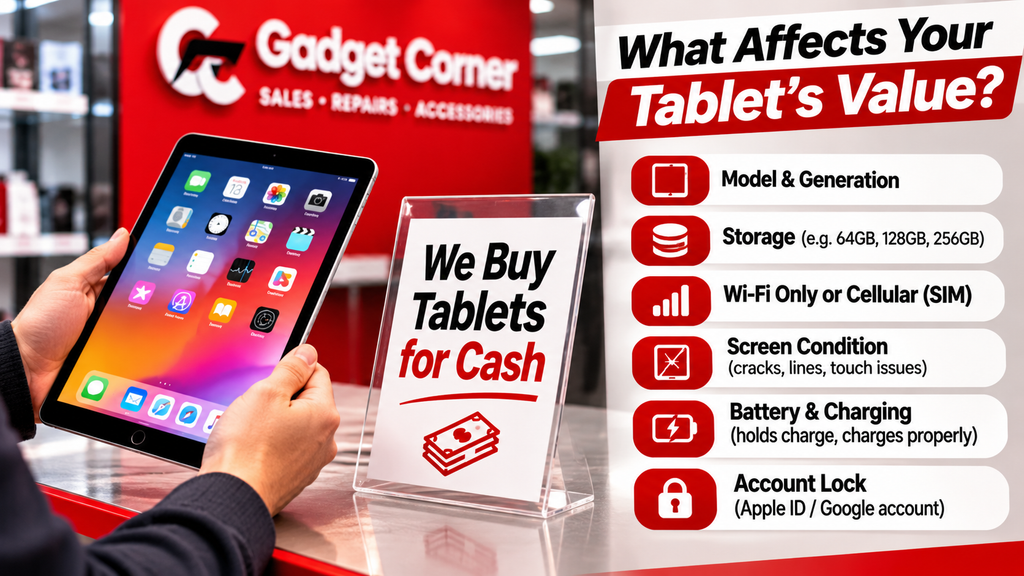
What decides how much your tablet is worth:
We can’t put a price list in a blog post, because every tablet is different and values change over time. But here’s what we look at, so you know what to expect.
The model and generation
This is the biggest factor. A recent iPad Pro and a ten-year-old iPad are both “iPads”, but they’re worth very different amounts. Newer generations are worth more, and older ones lose value as each new release comes out.
Storage
More storage usually means a higher price.
Wi-Fi only or Wi-Fi and cellular
Tablets that take a SIM card are a different model from Wi-Fi-only versions, and that can affect the price.
The screen
The screen matters more on a tablet than almost anything else. Cracks, dead spots, lines, or touch problems all bring the value down, but they don’t make it zero.
The body
Dents, bends, and deep scratches on the back and edges count too.
Battery and charging
We check that it charges and holds a charge. A tablet that dies after twenty minutes is worth less than one that lasts.
Whether it’s still locked to your account
A tablet still linked to your Apple Account or Google account is a problem for the next owner. Sorting this out before you come in makes everything quicker (see the section on getting it ready, below).
What doesn’t matter
You don’t need the box, the charger or the receipt. They’re not required.
How to find out exactly which tablet you have
“It’s a silver iPad, maybe 2019?” is a start, but the exact model helps you get an accurate rough price over the phone.
On an iPad
Apple’s guide, Identify your iPad model, lists every iPad by model number. On many models, Apple says the model number is printed on the back cover. Find that number (it starts with an A), and you can match it to the model name on Apple’s page.
If your iPad still switches on, you’ll also find the model name under Settings, then General, then About.
On an Android tablet
Look in Settings for a section called About tablet or About device. The exact name varies between brands and versions, but it will show the model name or number.
Make a note of the storage size while you’re there.
How to get your tablet ready to sell
This is the part people dread, but it takes about fifteen minutes, and it protects your photos, messages and accounts.
iPad
Apple’s UK guide, What to do before you sell, give away or trade in your iPhone or iPad, sets out the steps:
- Back up your iPad.
- Sign out of iCloud and the App Store. If Find My is turned on, you may need to enter your Apple Account password.
- Erase the iPad by tapping Erase All Content and Settings. Apple says that when you erase your device, Find My and Activation Lock are turned off.
- If your iPad uses an eSIM, choose the option to erase the eSIM profile too.
- Remove the iPad from your list of trusted devices.
If it’s a cellular iPad with a physical SIM card, take the SIM out.
Android tablet:
Back up your photos and files, remove your Google account from the tablet, then do a factory reset from Settings. Menu names differ between brands, so our guide on how to wipe your phone or laptop before selling it walks you through it step by step.
If it won’t turn on
You can’t wipe a tablet that won’t switch on. Bring it in anyway and let us know.
Charge it
A charged tablet can be fully tested on the spot. A flat one takes longer.
How selling your tablet to us works
There are four steps, all in one visit.
- Bring it in, or call first. Walk in with the tablet, or ring us with the model and condition for a rough price.
- We test it in front of you. Screen, battery, ports, and buttons are checked on the counter while you watch.
- You get one offer. It’s based on the model and the condition we’ve just checked together. What we offer is what we pay.
- You decide. Take the cash there and then, or walk away with your tablet. The valuation is free, and there’s no obligation.
Bring ID with you, because we need to see it before we can buy from you.
That’s it. No listing, no posting, no waiting. See how it works on our We Buy Your Phones page, or just come in.
Cracked or faulty tablet? Sell it or fix it
If your tablet has a cracked screen or a dead battery, you’ve got a choice to make. Repair it and keep using it, or sell it as it is.
Because we repair tablets as well as buy them, we can give you both options in one visit. Our iPad repairs page lists the repairs we do, including screens, batteries, charging ports, buttons and cameras, and shows iPad screen repairs from £65. We also repair Samsung and other Android tablets through our laptop, PC and tablet repairs team.
A rough rule: if the tablet is fairly recent and you’d use it again, a repair often makes sense. If it’s old, or you’ve already moved on to something else, selling it as it is usually makes more sense. Bring it in, and we’ll tell you roughly what each option looks like before you decide.
If the tablet really is past saving, we’ll say so. It still shouldn’t go in the bin. Our guide on what happens to your old phone when you recycle it covers how to recycle electricals properly, and the same applies to tablets.
The most common reasons people put off selling:
We hear the same reasons again and again. Here’s the honest answer to each.
“It’s not worth anything.”
Maybe less than you’d hope, but rarely nothing. Even faulty tablets have value for parts and refurbishment. A free valuation costs you nothing to find out.
“I’m worried about my photos and data.”
Fair enough. Back up what you want to keep, then erase the tablet using the steps above. Once it’s erased and signed out, your content is cleared from the tablet.
“I’ll get round to it.”
Every month it sits in a drawer, newer models come out and yours is worth a bit less. The best time to sell is usually now.
“I don’t want the hassle.”
That’s exactly why we keep it simple. One visit, one offer, cash in hand. No photos, no listings, no strangers.
“I might use it again.”
If you haven’t touched it in six months, you probably won’t. And if you do want a tablet again later, the cash from this one can go towards it.
If you’ve got other old tech lying around too, our complete guide to selling phones, laptops and tablets covers everything in one place.
Ready to clear the drawer? Bring your tablet in for a free valuation, or call us first for a rough price.
Gadget Corner
770 Oldham Road, Failsworth, Manchester M35 9FE
Phone: 0161 681 1111
Open Monday to Saturday, 9am to 6pm
Where can I sell my old tablet in Manchester?
You can sell it yourself online, use an online trade-in or postal service, or sell it to a local shop. At Gadget Corner in Failsworth, we test your tablet in front of you, make one offer and pay you in the same visit. The valuation is free and there’s no obligation to sell.
Can I sell an iPad with a cracked screen?
Yes. We buy cracked and faulty iPads because damaged devices still have value for parts and refurbishment. The offer reflects the condition, but it’s still worth bringing in.
Do you buy Samsung and other Android tablets?
Yes. We buy Samsung Galaxy Tab models and other Android tablets, as well as iPads of every generation.
Do I need the box or charger to sell my tablet?
No. The box, charger, and receipt aren’t required. Bring ID, and if you can, sign out of your accounts and erase the tablet before you come in.
How much is my old iPad worth?
It depends on the model, generation, storage, condition and whether it works properly. The quickest way to find out is to call us with the model number for a rough price, or bring it in for a free valuation. Start on our We Buy Your Phones page.