

You type your laptop’s details into three websites and get three different prices. One looks great. Then you read the small print: the price is “subject to inspection,” and you won’t know what you’re really getting until you’ve boxed the laptop up and posted it off.
So you try a marketplace listing instead. Within an hour, someone offers you half your asking price and asks if you can drop it round tonight.
Selling a laptop shouldn’t feel like a gamble. The good news is that a fair quote isn’t luck. It’s what you get when you know what your laptop is, the buyer checks it properly, and you can see how they reached the number. This guide shows you how to make that happen, whoever you end up selling to.
What a fair laptop quote actually looks like:
A fair quote isn’t always the highest number you can find. A high online price that drops sharply once the buyer “inspects” your laptop isn’t a good quote. It was bait.
A fair quote has four things going for it:
- It’s based on your exact laptop. Not “a MacBook” or “a Dell,” but the specific model, processor, memory, and storage.
- It’s based on a real check of its condition. Ideally, one you can watch.
- It comes with a reason. You should be able to ask why the price is what it is and get a straight answer.
- It doesn’t change after you hand the laptop over. The price you agree is the price you get.
If a quote ticks all four, you’re in good hands, even if another buyer somewhere claims they’d pay a bit more.
Why laptop quotes vary so much:
Two laptops that look identical on the outside can be worth very different amounts. That’s the main reason quotes jump around. Buyers are often guessing because they don’t have the full picture.
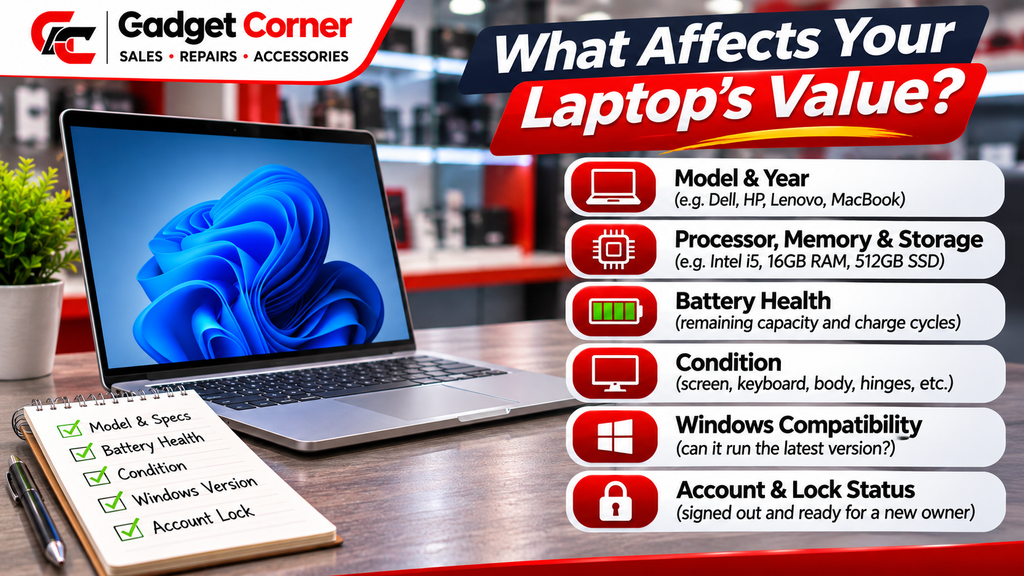
Here’s what usually changes the price:
- The exact model and year. Laptops lose value as newer versions come out, so the year matters as much as the name.
- Processor, memory, and storage. A higher spec version of the same model is worth more.
- Condition. Cracks, dents, worn keys, dead pixels, and loose hinges all bring the price down.
- Battery health. A battery near the end of its life will need replacing, and buyers factor that in.
- Whether it works properly. Ports, keyboard, trackpad, speakers, webcam, and Wi-Fi all get checked.
- Whether it’s still locked to an account. A laptop still tied to someone’s Apple Account or Microsoft account is hard for the next owner to use.
- Whether the charger is included. Not essential, but it saves the buyer from sourcing one.
The more of this you can tell a buyer up front, the closer their first quote will be to the final one.
Step 1: Know exactly what you’re selling:
“It’s a silver MacBook, a few years old” won’t get you an accurate quote. Five minutes of finding the details will.
On a MacBook
Apple’s guide, Find your Mac model name and serial number, says to choose the Apple menu in the corner of the screen, then About This Mac. You’ll see the model name, the chip or processor, the memory, and the serial number. Apple also notes that the serial number is usually printed on the underside of the Mac, near the regulatory markings.
Write down the model name and year (for example, “MacBook Air, 13-inch, 2020”), the chip, the memory, and the storage size.
On a Windows laptop
Microsoft’s guide, Find information about your Windows device, says to right-click Start, choose Settings, select System, and pick About. That page shows the processor, the installed RAM, the device name and model, and the Windows edition and version.
Make a note of the storage size too, as buyers will ask.
If the laptop won’t turn on
Look underneath. Most laptops have a sticker or printed panel with the brand, model number, and serial number. A photo of that is a good start.
Step 2: Check the battery
Battery health makes a real difference to value, and most people never look at it.
On a MacBook, Apple’s guide to battery cycle count for Mac laptops explains how to find it. Hold the Option key, click the Apple menu, and choose System Information. Under Hardware, select Power, and the cycle count is listed under Battery Information.
Apple says a charge cycle happens when you use all of the battery’s power, though not necessarily in one go. Each model has a maximum cycle count, which is 1,000 for many recent MacBook Air and MacBook Pro models and lower on older ones. Apple says the battery is designed to keep up to 80% of its original capacity at that count, and considers it consumed once it reaches the limit.
So a MacBook with a few hundred cycles on it is in a very different position from one sitting at its limit. Knowing your number helps you understand the quote you get.
On Windows laptops, battery health tools vary by brand. If you can’t find it, don’t worry. A proper in-person check will cover it.
Step 3: Be honest about the condition
It’s tempting to describe your laptop as “good condition” and hope for the best. But if you get a phone quote based on “good” and the buyer finds a cracked corner and three dead keys, the price will drop at the counter. Nobody enjoys that conversation.
Before you ask for a quote, go round the laptop properly:
- Open and close the lid. Is the hinge firm or floppy?
- Look at the screen on a white background. Any lines, marks or dead pixels?
- Try every key and the trackpad.
- Plug something into each port.
- Check the charger works and the cable isn’t frayed.
- Look for dents, cracks or missing feet on the base.
Then tell the buyer what you found. Being upfront gets you a rough quote that actually holds up.
Step 4: Check which version of Windows it can run
This one catches a lot of people out. Microsoft says support for Windows 10 ended on 14 October 2025. Its Windows 10 end-of-service page says the PC will still work, but it no longer gets free security fixes through Windows Update, which leaves it more exposed to viruses and malware. Microsoft recommends moving to Windows 11.
Whether a laptop can run Windows 11 matters to the next owner, so it’s one of the things that affects what it’s worth. If yours is still on Windows 10, check in Settings whether it’s eligible for the upgrade. Either way, tell the buyer. They should hear it from you rather than find it themselves.
Step 5: Sign out, back up, and wipe
A laptop still signed in to your accounts is a problem twice over. Your files and passwords are at risk, and the buyer can’t use the laptop properly until it’s cleared.
Before you sell:
- Back up your files. Photos, documents, anything you’d miss.
- Sign out of your accounts. Apple Account on a Mac, Microsoft account on Windows, plus browsers, cloud storage and anything else you’ve logged into.
- Turn off Find My on a Mac. Otherwise the next owner may not be able to set it up.
- Erase or reset the laptop.
- On Windows, check BitLocker. If your drive is encrypted, make sure you can get to your recovery key before you start.
Our full guide on how to wipe your phone or laptop before selling it walks you through each step for Mac and Windows, with links to Apple’s and Microsoft’s own instructions.
If the laptop doesn’t turn on, you can’t wipe it yourself. Tell the buyer, and ask how they handle data on devices they can’t reset in front of you.
Step 6: Ask the right questions
When you get a quote, a few simple questions tell you a lot about whether it’s fair:
- “What’s this price based on?” A good buyer can tell you: model, spec, condition, battery.
- “Is this the final price, or could it change?” If it can change, ask when and why.
- “How and when will I be paid?” Cash on the spot is very different from a bank transfer in a week.
- “Are there any fees or deductions?” Postage, collection, or “processing” charges all eat into the number.
- “Can I watch you check it?” If the answer is no, think about why.
None of these are awkward questions. Any buyer worth selling to will be happy to answer them.
Red flags that a quote isn’t fair
Be wary if you see any of these:
- A price that only becomes final after you’ve handed the laptop over. By then, you’ve lost your bargaining power.
- No explanation. If the buyer can’t say why it’s worth what they’re offering, they’re guessing, or hoping you won’t ask.
- Pressure to decide now. A fair offer will still be fair tomorrow. Take your time.
- Fees that appear late. If the number you’re paid is less than the number you were quoted, that wasn’t really the quote.
- A check you’re not allowed to see. You should know what was found and how it affected the price.
How we quote for laptops at Gadget Corner:
We built our process around everything above, because it’s how we’d want to be treated if we were selling.
- Call ahead for a rough price, or just walk in. If you call, tell us the model, spec and condition and we’ll give you a ballpark figure.
- We test the laptop in front of you. Screen, battery, ports and buttons, on the counter while you watch.
- You get one offer. It’s based on what we’ve both just seen. What we offer is what we pay.
- You decide. Take the cash there and then, or walk away with your laptop. The valuation is free and there’s no obligation.
We buy Windows laptops, MacBooks and standard desktop PCs, working or faulty. Faulty devices still have value for parts and refurbishment, so a laptop with a cracked screen or one that won’t turn on is still worth bringing in. You don’t need the box or receipt. Bring the charger if you have it, and bring ID, because we need to see it before we can buy from you.
See how it works on our We Buy Your Phones page. Despite the name, it covers laptops too.
Not sure whether to sell or repair? Our laptop repairs team can tell you whether a fix makes more sense. If your laptop has a damaged screen, our guide on whether a laptop with a cracked screen can be fixed will help you weigh it up. And for the bigger picture on selling, read our guide to selling your old MacBook or laptop for cash.
Ready for a quote you can trust? Bring your laptop in for a free valuation, or call us first for a rough price.
770 Oldham Road, Failsworth, Manchester M35 9FE
Phone: 0161 681 1111
Open Monday to Saturday, 9 am to 6 pm
Can I get a quote to sell my laptop over the phone?
Yes. Call us with the model, the specs, and an honest description of the condition, and we’ll give you a rough price. The final offer comes after we’ve tested the laptop in front of you in the shop.
Do I need the charger to sell my laptop?
It isn’t required, and neither is the box or receipt. But bring the charger if you have it. It helps us test the laptop properly.
Will you give me a quote for a laptop that doesn’t turn on?
Yes. Faulty laptops still have value for parts and refurbishment. The offer reflects the condition, but it’s still worth bringing in.
What do I need to bring to sell my laptop?
The laptop, the charger (if you have it), and ID. If you can, back it up, sign out of your accounts, and wipe it before you come in.
Is the valuation free?
Yes. Getting a quote is free,, and there’s no obligation to sell. If you don’t like the offer, you leave with your laptop. Start on our We Buy Your Phones page or just come in.