
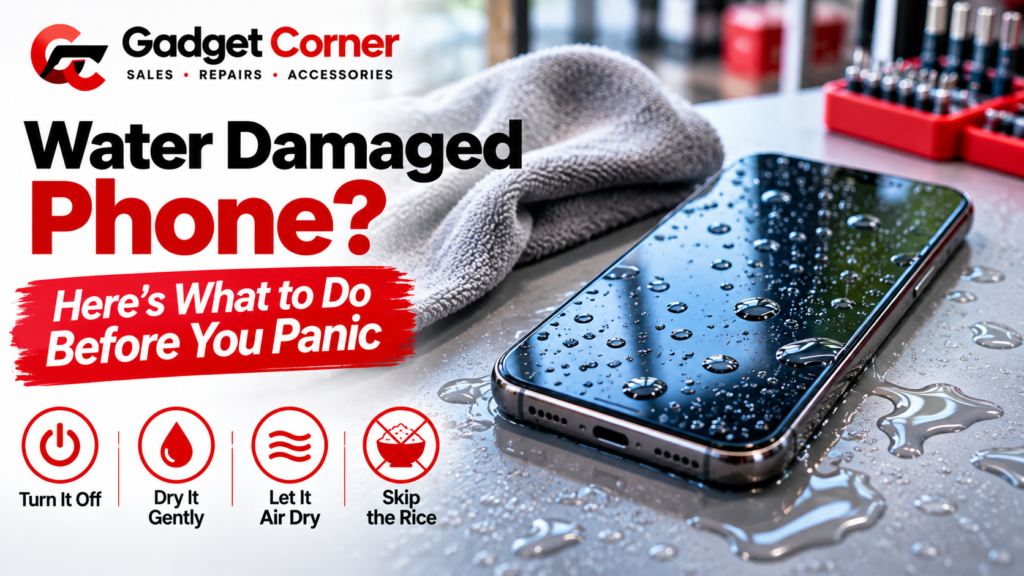
The first ten minutes: what to do straight away
Work through these in order. Speed matters, but stay gentle.
- Get it out of the liquid. Obvious, but the longer it sits there, the more chance water has to get past the seals.
- Switch it off. Samsung’s UK support page tells owners of waterlogged Galaxy phones to shut the device down. On most Galaxy phones you can hold Volume down and the Side key for a few seconds. Turning the phone off means less power running through wet parts.
- Take the case off. Cases trap water against the phone. If you have a phone with a removable battery, Samsung says to take out the battery and the SIM card too.
- Wipe it down. Use a soft, lint-free cloth or a clean towel, and pay attention to the charging port, speaker grilles and buttons.
- Get the water out of the port. Apple’s advice for iPhone is to tap the phone gently against your hand with the connector facing down. Samsung suggests gently shaking a Galaxy with the port facing down. Gently is the word that matters in both cases.
- Leave it somewhere dry with airflow. Apple says to leave an iPhone in a dry area with some airflow. Samsung says a well-ventilated spot, in the shade, or in cool air from a fan.
Then leave it alone. That is the hard part.

What not to do with a wet phone
Most of the damage we see after a drop in water doesn’t come from the water. It comes from what happened afterwards.
Don’t put it in rice
This one surprises people, but Apple is clear about it. In its support page on liquid-detection alerts, Apple says: “Don’t put your iPhone in a bag of rice. Doing so could allow small particles of rice to damage your iPhone.”
Rice doesn’t pull water out of a sealed phone in any useful way. What it can do is leave dust and starch in the charging port and speaker holes. Fresh air does a better job.
Don’t use a hairdryer, radiator or oven
Heat feels like it should help. It doesn’t. Apple says not to dry an iPhone with an external heat source, and Samsung warns that drying a device quickly with a hair dryer or hot air may damage it. Heat can harm the battery, the screen and the adhesive that keeps water out next time.
Don’t blast it with compressed air
Apple also advises against compressed air. It can push water further into the phone rather than out.
Don’t poke things into the charging port
Apple says not to put a foreign object, such as a cotton bud or a paper towel, into the connector. You can bend the pins or leave fibres behind. Samsung’s page allows a cotton bud to dry around openings, but be gentle, and keep it out of the port itself.
Don’t keep switching it on to check
We understand the urge. But every time you power it up while it is still wet, current flows through damp parts. Samsung advises against powering the device on until it has been checked.
Salt water, pool water and drinks
Clean tap water is the best kind of liquid to drop your phone in, if there is a best kind. Sea water, pool water, tea, cola and beer leave salt, chlorine or sugar behind as they dry, and that residue can cause corrosion over the following days.
Both Apple and Samsung give similar advice here, which can sound odd at first:
- Apple says that if a liquid other than water splashes on your iPhone, rinse the affected area with tap water, then wipe it with a soft, lint-free cloth.
- Samsung says that if a Galaxy gets drinks, sea water or chlorinated pool water on it, you should soak it in clean water for about one to three minutes and rinse it, to remove salt or impurities as soon as possible, then dry it thoroughly.
If that feels too risky to try yourself, or you aren’t sure how water resistant your phone is, bring it straight in. Sugary and salty liquids are the cases where getting the phone looked at sooner pays off.
When can you charge a wet phone?
Not straight away. Charging a wet phone is one of the fastest ways to turn a recoverable phone into a dead one.
On iPhone, Apple’s general guidance is to allow at least five hours before charging with a cable or connecting an accessory. iPhone XS, XR and later models also show a liquid-detection alert if they find moisture in the charging port. If you see that alert, Apple suggests waiting at least 30 minutes before trying again, and says the phone may take up to 24 hours to dry fully.
There is an emergency option to override the alert and charge anyway. Apple says you should not charge a wet iPhone, but that you may need to in an emergency. Keep it for genuine emergencies.
On Samsung Galaxy phones, a water drop icon means the phone has found moisture in the port and has blocked charging to protect itself. Samsung says to dry the phone fully, and suggests a wireless charger if cable charging still won’t work. High humidity, such as a steamy bathroom, can also set off the icon.
“But my phone is waterproof”
Not quite. Most modern phones are water resistant, which isn’t the same thing.
Apple rates iPhone 12 and later at IP68, up to 6 metres for up to 30 minutes. Older models have lower ratings. For example, the iPhone XR, iPhone 8 and the iPhone SE (2nd and 3rd generation) are rated IP67, up to 1 metre for up to 30 minutes.
There are three catches:
- Resistance wears off. Apple says splash, water and dust resistance aren’t permanent conditions and might decrease as a result of normal wear. A phone that has been dropped, opened for repair, or is a few years old may not keep water out as well as it did new.
- Liquid damage isn’t covered by Apple’s warranty. Apple says this clearly, although it also notes that you may still have rights under consumer law.
- Some situations are off limits anyway. Apple says to avoid swimming or bathing with your iPhone, showers, saunas and fast or pressurised water, and to keep soap, detergent and acidic liquids away from it.
So a quick splash is usually fine. A dunk in the bath, the sea or a pint is worth taking seriously.
Signs water got inside, even if the phone seems fine
Sometimes a phone dries out, switches on and seems perfectly normal. Then, a few days later, problems start. Watch out for:
- fog or droplets inside the camera lens
- a muffled speaker or earpiece
- lines, flicker or patches on the screen
- the battery draining much faster than before
- the phone getting warm while doing nothing
- random restarts, or touch that stops responding in places
- the liquid-detection alert or water drop icon coming back long after the phone should have dried
Any of these means moisture or corrosion may be working away inside. That is the point to get the phone checked rather than wait for it to stop altogether.
When to bring a water damaged phone in for repair
Bring it in if:
- it won’t switch on or charge after it has had a full day to dry
- it went in salt water, pool water or a sugary drink
- you see any of the warning signs above
- it switches on but something isn’t right
Samsung’s own advice, once the phone has air dried, is to bring a waterlogged device to a service centre as soon as possible. Corrosion doesn’t wait, so the same logic applies to any phone.
At our shop on Oldham Road, a water damage repair starts with opening the phone up and looking at what the liquid has actually done. We check the board and connectors for corrosion, clean what can be cleaned, and test the parts that usually suffer first, such as the charging port, the speakers, the screen and the battery. Then we tell you what we found and what it will cost before going any further.
Some phones come back fully. Some need a part or two replaced. And some are too far gone, and we will tell you that honestly too. We work on a no fix, no fee basis, so you aren’t paying for a repair that didn’t work.
Visit our mobile phone repairs page to see what we fix, or just walk in. If it is an iPhone, our iPhone repairs page has more detail. We also handle Samsung phone repairs.
Repair it or sell it?
Water damage repairs are harder to price up front than a cracked screen, because nobody knows what is inside until the phone is open. If the repair is going to cost more than the phone is worth, or it is an older phone you were thinking of replacing anyway, selling it can make more sense.
We buy faulty phones, not just perfect ones, because damaged devices still have value for parts and refurbishment. Here is how it works on our We Buy Your Phones page:
- Bring the phone to the shop, or call ahead for a rough price.
- We test it in front of you.
- We make you one offer based on the model and its condition.
- You take the cash there and then, or walk away with your phone. The valuation is free and you are under no obligation.
You will need to bring ID. If the phone still switches on, read our guide on how to wipe your phone before selling it first, and back up anything you want to keep.
Still deciding? These may help:
- Is your phone worth fixing or replacing?
- How much is my old iPhone worth in 2026?
- What happens to your old phone when you recycle it?
Not sure which way to go? Bring it in. We can check whether it is worth repairing and, if it is not, make you an offer for it in the same visit.
FAQs
Does putting a wet phone in rice work?
No. Apple specifically says not to put an iPhone in a bag of rice, because small particles of rice can damage it. Leave the phone in a dry place with some airflow instead.
How long should I wait before charging a wet phone?
For iPhone, Apple says to allow at least five hours before charging with a cable. If you see a liquid-detection alert, it can take up to 24 hours to dry fully. On Samsung Galaxy phones, wait until the phone is completely dry and the water drop icon has gone.
Is water damage covered by my phone’s warranty?
Apple says liquid damage to iPhone isn’t covered by its warranty, although you may still have rights under consumer law. If you have phone insurance or a protection plan, check what it covers before paying for a repair.
Can a water damaged phone be repaired?
Often, yes, especially if it was switched off quickly, kept off the charger and brought in soon. The longer liquid sits inside, the more chance corrosion has to spread. A proper inspection is the only way to know for sure.
Will you buy a water damaged phone?
We buy faulty phones because they still have value for parts and refurbishment. Bring it in for a free, no-obligation valuation and we will make you an offer based on its condition. See how it works on our We Buy Your Phones page.
Gadget Corner
770 Oldham Road, Failsworth, Manchester M35 9FE
Phone: 0161 681 1111
Open Monday to Saturday, 9am to 6pm